We have compiled a list of manufacturers, distributors, product information, reference prices, and rankings for Conversion software.
ipros is IPROS GMS IPROS One of the largest technical database sites in Japan that collects information on.

Conversion software(3D CAD) - List of Manufacturers, Suppliers, Companies and Products | IPROS GMS

Last Updated: Aggregation Period:Jan 14, 2026~Feb 10, 2026
This ranking is based on the number of page views on our site.

Conversion software Product List

1~26 item / All 26 items

Displayed results

Drop3D Cloud Beta Version

Drop3D Cloud is a solution that easily converts 3D and CAD data into vector data without the need for special software.

"Drop3D Cloud" is a cloud solution that allows you to (1) directly load high-quality 3D models (.3dm, VRML2.0, IGES, OBJ, STL) on the web, (2) freely set the angle for 2D visualization through mouse operations and check the preview, and (3) save it as vector data (SVG file). *SVG files can be inserted and edited in Microsoft Office 2016 (Word, PowerPoint, Outlook, Excel). When converting 3D models, you can specify artwork with a variety of options such as wireframe display, hidden line processing, and color specification.

  • Data conversion software
  • Conversion software

Added to bookmarks

Bookmarks list

Bookmark has been removed

Bookmarks list

You can't add any more bookmarks

By registering as a member, you can increase the number of bookmarks you can save and organize them with labels.

Free membership registration

Exchange 3D 3D Data Conversion

Transform both the appearance and the contents for reuse! Utilize CAD and CAE data to recreate in a VR environment.

We would like to introduce our "Exchange 3D 3D Data Conversion" service. We assist in converting CAD and CAE data across a wide variety of formats. With our extensive track record, we are capable of converting data quickly and with high quality. We can reproduce colors and light reflections in a VR environment that closely resemble reality, and we can also capture and recreate human movements in the VR environment. 【Features】 ■ Utilize CAD and CAE data to accurately reproduce in a VR environment ■ Reproduce colors and light reflections in a VR environment that closely resemble reality ■ Capture and recreate human movements in the VR environment *For more details, please download the PDF or feel free to contact us.

  • 1.PNG
  • Data conversion software
  • Conversion software

Added to bookmarks

Bookmarks list

Bookmark has been removed

Bookmarks list

You can't add any more bookmarks

By registering as a member, you can increase the number of bookmarks you can save and organize them with labels.

Free membership registration

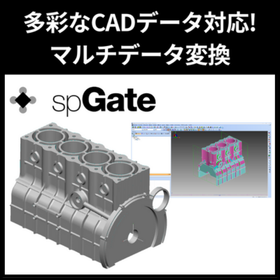
Multi-data conversion software 'spGate' for utilizing STL data in CAD

Freely manipulate STL data with CAD!

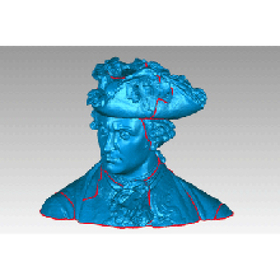
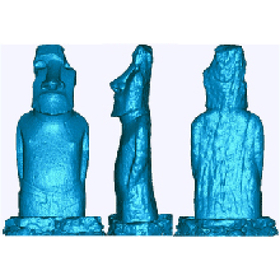
The STL data obtained from 3D printers, 3D scanners, and CAE software poses a challenge as it is difficult to edit directly in CAD systems. CAD systems excel at handling surface data in formats like IGES and are not suited for direct processing of STL data. The solution to this challenge is the CAD data multi-conversion software "spGate." By converting STL data to IGES data, spGate enables free editing of STL data within existing CAD systems. This allows for processes that CAD systems excel at, such as creating cross-sectional shapes and extracting contours, to be performed on STL data. 【Features and Benefits】 - Converts STL data to IGES data, enabling editing in existing CAD environments. - Equipped with a rich set of STL editing functions, including polygon reduction, smoothing, hole filling, and partial deletion. *For more details, please visit the page below or feel free to contact us.

  • gat07_3.png
  • Data conversion software
  • Conversion software

Added to bookmarks

Bookmarks list

Bookmark has been removed

Bookmarks list

You can't add any more bookmarks

By registering as a member, you can increase the number of bookmarks you can save and organize them with labels.

Free membership registration

DATAKIT

Achieve interoperability between CAD systems! Easily convert and exchange CAD data.

DATAKIT provides software and libraries for 3D and 2D conversion, enabling users to import, export, read, and write almost any CAD format. It offers standalone software "CrossManager" for converting files from most CAD formats, as well as "CrossCad/Ware," a data exchange API and SDK set for software vendors. Designed to be user-friendly and efficient, it allows users to easily convert and exchange CAD data between different formats and software. 【Product Lineup】 ■CrossManager ■CrossCad/Ware *For more details, please refer to the related links or feel free to contact us.

  • Company:B7
  • Price:Other
  • Other CAD related software
  • Conversion software

Added to bookmarks

Bookmarks list

Bookmark has been removed

Bookmarks list

You can't add any more bookmarks

By registering as a member, you can increase the number of bookmarks you can save and organize them with labels.

Free membership registration

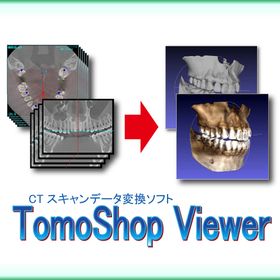
Malsugo CT data conversion software "TomoShopViewer"

Easily convert CT images to 3D data! Explaining the greatness of TomoShop Viewer.

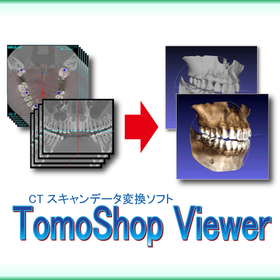
Marsugo is a document that picks up the functions and features of various products and introduces the "amazing" aspects of them. This time, we will explain "TomoShop Viewer," which allows you to easily convert CT scan data into 3D data! At first glance, CT scan data looks like 3D data, but in reality, it is a 2D image data made up of hundreds or thousands of overlapping cross-sectional images that appear three-dimensional. Therefore, it cannot be used directly for 3D printing or as CAD data. "TomoShop Viewer" is an amazing software that can easily convert such 2D image data of CT scans into a single 3D data. Moreover, it can be introduced at a "low cost," allowing you to easily expand the use of CT scan data! In Volume 39 of our helpful content "Mitarepo," we provide a detailed explanation of TomoShop Viewer using the "CT scan data of a Rubik's Cube" as an example, so we would be grateful if you could take a look. *You can download the document from the button below.

  • Data conversion software
  • Other CAD related software
  • 3D Printer
  • Conversion software

Added to bookmarks

Bookmarks list

Bookmark has been removed

Bookmarks list

You can't add any more bookmarks

By registering as a member, you can increase the number of bookmarks you can save and organize them with labels.

Free membership registration

3D CAD data conversion software "spGate"

This is a 3D CAD data conversion software equipped with features such as data conversion, bug fixes, simplification, and lightweighting, which strongly supports manufacturing sites.

\Equipped with diverse CAD data conversion and defect correction features/ spGate supports all standard formats of 3D CAD data. Since all necessary formats are included, there are no additional costs. It is a cost-effective data conversion tool. ■ 3D Multi-Data Translator ■ PDQ Verification Function ■ Correction (Healing) Function

  • Other CAD related software
  • Conversion software

Added to bookmarks

Bookmarks list

Bookmark has been removed

Bookmarks list

You can't add any more bookmarks

By registering as a member, you can increase the number of bookmarks you can save and organize them with labels.

Free membership registration

[Data] The Power of Engineering SDKs That Accelerate CAE Application Development

Accelerating CAE application development: The capabilities of a suite of SDKs that cover the entire workflow.

There are various challenges that exist between the development and release of CAE products such as structural analysis and fluid analysis. For example, even if a company has already developed its own solver, providing it as a packaged product that includes pre- and post-processing requires a wide range of technologies beyond just the solver, such as importing CAD data, achieving visualization, and generating high-quality meshes. By utilizing Spatial's SDK, we can address a variety of challenges in a one-stop solution, accelerating development and enabling early product release. Challenges that can be solved with Spatial's SDK: - There are issues with the quality of shape data import. - Unable to import the latest version of CAD data. - Want to streamline the editing process of CAD data before converting it to analysis mesh. - High development effort required to create a UI. - Want to improve mesh generation quality. For more details, visit: https://www.spatial.com/ja/node/1527 Contact: jp.spatial.admin@3ds.com

  • simulator
  • Conversion software

Added to bookmarks

Bookmarks list

Bookmark has been removed

Bookmarks list

You can't add any more bookmarks

By registering as a member, you can increase the number of bookmarks you can save and organize them with labels.

Free membership registration

DATAKIT Data Translator (Data Conversion Software)

Convert to various 3D formats (CATIA, UG NX, Parasolid, etc.) even without a CAD system.

Depending on the purpose, we offer two products: a Rhino plugin type and a standalone type. CrossCad This is a plugin format based on the 3D modeler Rhinoceros, allowing you to import various 3D formats into Rhino and export shape data created in Rhino to other 3D formats. CrossManager Unlike CrossCad/Plg, this does not require a platform like Rhino and is ideal for those who want to directly convert data from different CAD systems in a standalone manner.

  • Mold Design
  • Prototype Services
  • Data conversion software
  • Conversion software

Added to bookmarks

Bookmarks list

Bookmark has been removed

Bookmarks list

You can't add any more bookmarks

By registering as a member, you can increase the number of bookmarks you can save and organize them with labels.

Free membership registration

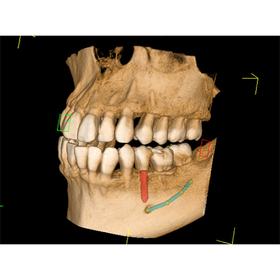
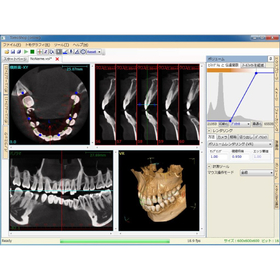
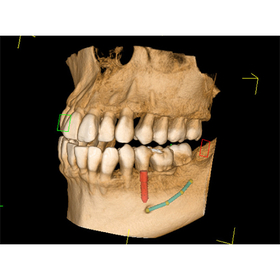
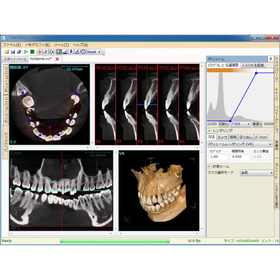
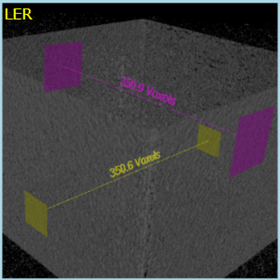
CT scan data conversion software "TomoShop Viewer"

This is software that can convert CT scan data into 3D data. It offers high quality and fast processing features at a low price, along with a variety of analysis functions. *Demo available.

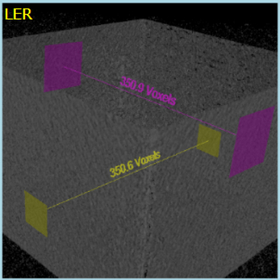
The "TomoShop Viewer" is software designed to convert CT scan data into 3D data for use in CAD and 3D printers. It combines a variety of measurement functions, high-speed processing, artifact reduction features, and a low price. [Features] ■ Convert and output CT scan data CT scan data from medical CTs and MRIs (in DICOM format) can be converted and output in formats such as STL, IGES, and VRML, making it usable in 3D CAD and 3D printers. ■ Reduce artifacts (noise) to obtain clear 3D data Reduces artifact noise that occurs in reconstructed images from CT scan data. It includes features to mitigate ring artifacts and vertical artifacts. ■ Display fine shapes in high quality Equipped with volume rendering capabilities that faithfully depict fine shapes of biological and natural objects in high quality. It is also possible to color the data and obtain it as a 3D model. ■ Diverse measurement and analysis Measurements such as distances and angles in 2D images, as well as inner diameter measurements in 3D images, are possible. *For more details, please request a catalog or view the PDF data from the download button below.

  • TomoShopViewer_gamen1.jpg
  • TomoShopViewer_gamen2.jpg
  • TomoShopViewer_gamen3.jpg
  • Data conversion software
  • 3D Printer
  • Other inspection equipment and devices
  • Conversion software

Added to bookmarks

Bookmarks list

Bookmark has been removed

Bookmarks list

You can't add any more bookmarks

By registering as a member, you can increase the number of bookmarks you can save and organize them with labels.

Free membership registration

What is "BricsCAD Communicator"?

Introduction of optional software that adds file formats for importing/exporting when combined with BricsCAD.

"BricsCAD Communicator" is an optional software that adds file formats for importing/exporting when combined with BricsCAD itself. It allows for the import/export of native files and intermediate formats from other CAD systems. With a high-quality translator, it aids in the reuse of 3D CAD data, enhancing project productivity and reducing costs. 【Features】 ■ Adds file formats for importing/exporting when combined with BricsCAD ■ Aids in the reuse of 3D CAD data with a high-quality translator, enhancing project productivity and reducing costs ■ Operating environment: BricsCAD Pro or higher *For more details, please refer to the related links or feel free to contact us.

  • Other CAD
  • Conversion software

Added to bookmarks

Bookmarks list

Bookmark has been removed

Bookmarks list

You can't add any more bookmarks

By registering as a member, you can increase the number of bookmarks you can save and organize them with labels.

Free membership registration

3D to 2D conversion DesignFlowExtractor

I really turned 3D into 2D with just 10 mouse clicks!!

DesignFLowExtractor allows for shape verification of 3D data and angle correction, unlike regular 3D CAD! It can quickly expand into 2D data! It is available for a wide range of fields, including sales and materials personnel in the mold industry. With just 10 clicks, you can create 2D drawings from 3D data. For other features and details, please feel free to contact us for catalog downloads, inquiries, or trial versions. Marble Inc. Embedded Product Division, Product Business Department Phone: (03) 3419-6011

Added to bookmarks

Bookmarks list

Bookmark has been removed

Bookmarks list

You can't add any more bookmarks

By registering as a member, you can increase the number of bookmarks you can save and organize them with labels.

Free membership registration

Organizing CAD data into a format that makes it easy to convert to NC data! Utilizing spGate.

Data conversion and modification software that serves as a bridge from CAD to CAM.

To smoothly generate NC data with CAM, the quality and format of the underlying CAD data are extremely important. spGate can be utilized as a data conversion and modification software that bridges CAD and CAM. If the 3D model received from the design department contains issues such as the following, it can lead to problems during the machining stage: - Gaps in surfaces or discontinuous edges - Irregular curvature or distorted surfaces - High-density surfaces with too many control points These issues can cause abnormal behavior or disruptions in the tool path generation in CAM, posing a risk of decreased accuracy of NC data and machining quality. spGate detects these problems in advance and automatically performs healing processes. Furthermore, it can automate conversion and modification processes through batch execution, allowing for efficient processing of multiple CAD data and reducing rework on the shop floor. We have introduced actual cases where the implementation of spGate significantly reduced troubles in NC data creation on the following page. Please take a look.

  • Data conversion software
  • Conversion software

Added to bookmarks

Bookmarks list

Bookmark has been removed

Bookmarks list

You can't add any more bookmarks

By registering as a member, you can increase the number of bookmarks you can save and organize them with labels.

Free membership registration

Data conversion software IRONCAD Translator

Editable CATIA data

"IronCAD Translator" and "A&V Translator" are data conversion software for IRONCAD. The former enables the import/export of CATIA native data and the import of other major 3D CAD formats within IRONCAD. The latter allows for the import/export of architectural data such as IFC and Revit, the import of SolidWorks Drawings, and the export of DLTF.

  • Data conversion software
  • Conversion software

Added to bookmarks

Bookmarks list

Bookmark has been removed

Bookmarks list

You can't add any more bookmarks

By registering as a member, you can increase the number of bookmarks you can save and organize them with labels.

Free membership registration

2D Assembly Drawing → 3D Conversion CADPAC 3D Function Introduction Video

We will clearly introduce the features of CADPAC 3D through video and audio.

In this video, we will transfer a 2D drawing to 3D and perform 3D modeling while utilizing it as a sketch. By leveraging past assets, we can efficiently create 3D models without any mistakes.

  • 3D CAD
  • Conversion software

Added to bookmarks

Bookmarks list

Bookmark has been removed

Bookmarks list

You can't add any more bookmarks

By registering as a member, you can increase the number of bookmarks you can save and organize them with labels.

Free membership registration

Mesh2Surface for Toy Prototyping

Easily create CAD from 3D scan data.

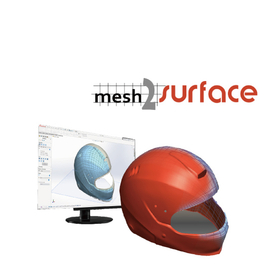
In the toy industry, the prototyping stage requires rapid realization and modification of designs. Particularly when dealing with complex shapes or organic designs, converting 3D scan data into CAD models is key to efficient prototyping. Mesh2Surface for Rhinoceros reduces the time required for prototyping and lowers design costs by converting 3D scanned mesh data into CAD models. 【Use Cases】 - Toy design prototyping - Shape modification of existing toys - Creation of data for 3D printers 【Benefits of Implementation】 - Shortened prototyping period - Reduced design costs - Flexible response to design changes

  • 3D CAD
  • Conversion software

Added to bookmarks

Bookmarks list

Bookmark has been removed

Bookmarks list

You can't add any more bookmarks

By registering as a member, you can increase the number of bookmarks you can save and organize them with labels.

Free membership registration

Mesh2Surface for Furniture Customization

Generate CAD from 3D scan data to streamline furniture customization.

In the furniture industry, rapid realization of customized designs is essential to meet the diverse needs of customers. In particular, accurate 3D data is indispensable for customizing based on existing furniture and creating complex-shaped parts. Manual measuring and modeling not only take time and cost but also tend to lead to precision issues. Mesh2Surface for Rhinoceros addresses these challenges by directly generating CAD models from 3D scan data. 【Usage Scenarios】 - Digitizing the shapes of existing furniture into 3D data for customized design - 3D scanning complex-shaped parts to create CAD data - Efficiently realizing one-of-a-kind furniture designs tailored to customer requests 【Benefits of Implementation】 - Reducing the production time for customized designs - Cutting design costs - Improving customer satisfaction

  • 3D CAD
  • Conversion software

Added to bookmarks

Bookmarks list

Bookmark has been removed

Bookmarks list

You can't add any more bookmarks

By registering as a member, you can increase the number of bookmarks you can save and organize them with labels.

Free membership registration

Prosthetics/Mesh2Surface for Rhinoceros

Easily create CAD models from 3D scan data.

In the prosthetics industry, precise design of prosthetic limbs tailored to the patient's body is required. It is particularly important to accurately capture the patient's body shape while balancing comfort and functionality. Traditional design methods have posed challenges due to the time and cost involved. Mesh2Surface for Rhinoceros facilitates the conversion from 3D scan data to CAD models, achieving greater efficiency in prosthetic design. 【Use Cases】 - Prosthetic design from scan data of the patient's body shape - Modifications and improvements based on the shape of existing prosthetics - Data creation for prosthetic manufacturing using a 3D printer 【Benefits of Implementation】 - Reduced design time - Lower design costs - Design of prosthetics that fit the patient's body - Provision of high-quality prosthetics

  • 3D CAD
  • Conversion software

Added to bookmarks

Bookmarks list

Bookmark has been removed

Bookmarks list

You can't add any more bookmarks

By registering as a member, you can increase the number of bookmarks you can save and organize them with labels.

Free membership registration

3D Viewer Software Capable of Converting 3D CAD Data for the Mold Manufacturing Industry

Can be introduced at low cost! Easy to operate, supports import and export of over 20 types of 3D CAD files and intermediate files!

Our company provides sales and support for CAD/CAM, proposing systems tailored to user needs and supporting manufacturing. The 3D viewer software 'CADbro', capable of converting 3D CAD data for the mold manufacturing industry, supports the import of native data from CATIA and SolidWorks, as well as the import and export of Parasolid and STEP formats. Additionally, it now supports the import of CATIA 2D data ".CATDrawing". It can read data from most CAD software used in the manufacturing industry and convert it to other CAD data formats. With CADbro, which features 3D data viewing, measurement, easy-to-understand 3D annotations, and advanced analysis functions, workflows can be carried out very efficiently, significantly reducing product development time and costs. The conversion rate of CAD data with 'CADbro' is higher compared to other systems, and the price is 165,000 yen (excluding tax), making it affordable to implement. *Free trial available! *All features can be used without restrictions for 15 days.

  • 3D CAD
  • Other CAD related software
  • Conversion software

Added to bookmarks

Bookmarks list

Bookmark has been removed

Bookmarks list

You can't add any more bookmarks

By registering as a member, you can increase the number of bookmarks you can save and organize them with labels.

Free membership registration

<For Customers> Solving various issues related to CAD file conversion!

Are you having trouble with support for various types of CAD data?

There are truly various CAD systems, software, and many different file types (extensions) in the world. However, we often receive inquiries from those who are having trouble because they cannot easily read files with their company's CAD system. Our software not only has a translator function that instantly resolves such issues, but it also allows for verification and editing of any defects in the imported data. Please take a moment to check out our software, which has garnered a lot of customer satisfaction! ~~~~~~~~~~~~~~~~ 1-Month Free Trial Available! ~~~~~~~~~~~~~~~~ Our software is not only appealing to end users but also to trading companies, so we would be grateful if you could contact us.

  • Other CAD
  • Data conversion software
  • Conversion software

Added to bookmarks

Bookmarks list

Bookmark has been removed

Bookmarks list

You can't add any more bookmarks

By registering as a member, you can increase the number of bookmarks you can save and organize them with labels.

Free membership registration

Geomagic Wrap for Furniture Design

Utilizing 3D scan data to streamline furniture design.

In the field of furniture design, there is an increasing demand for diverse designs and high-quality products. By utilizing 3D scanning technology, it is necessary to accurately digitize the shapes of existing furniture and objects, thereby streamlining the design process. Accurate data acquisition is particularly important in the design of furniture with complex shapes and curves. Geomagic Wrap is software that allows for the quick, accurate, and easy conversion of 3D scan data and mesh data. It enables data modifications beyond what is possible with the correction software included with 3D scanners. 【Use Cases】 - Digitizing the shapes of existing furniture into 3D data for design purposes - Designing furniture with complex shapes - Modifying 3D scan data and converting it into CAD data 【Benefits of Implementation】 - Reduction in design time - Increased design freedom - Decrease in the number of prototypes needed

  • wrap_2.jpg
  • wrap_3.jpg
  • Other CAD related software
  • Image analysis software
  • others
  • Conversion software

Added to bookmarks

Bookmarks list

Bookmark has been removed

Bookmarks list

You can't add any more bookmarks

By registering as a member, you can increase the number of bookmarks you can save and organize them with labels.

Free membership registration

CADlook Translator/Viewer 15-day free trial

15-day free trial! Easily convert, verify, and edit 3D CAD data.

◆◆15-Day Free Trial◆◆ Easily convert, verify, and edit 3D CAD data! 【If you are facing any of the following issues, please give it a try】 ○ The CAD/CAM you are using does not support reading IGES, STEP, Parasolid, SAT, or VDA-FS ○ When reading IGES data, there may be shape loss (surface drop) ○ I want to convert solid IGES to trim IGES ○ I want to extract and save necessary parts from the assembly structure data of IGES, STEP, or Parasolid ○ I want to extract and save cross-sections, points, and lines from the read shape ○ I am using CAD or CAM with a solid kernel, but I want to convert IGES to solid data before using it ○ If surface drop occurs in the system I am using, I want to verify whether it is caused by the system or the data ○ I want to perform shape measurement without using 3D CAD ○ I want to know the area, volume, centroid, and moment of inertia of the shape data ○ I want to perform batch processing for continuous conversion of multiple files... etc ● For details on how to obtain the 15-day free evaluation license, please contact us.

  • Other information systems
  • Other CAD
  • Other CAM related software
  • Conversion software

Added to bookmarks

Bookmarks list

Bookmark has been removed

Bookmarks list

You can't add any more bookmarks

By registering as a member, you can increase the number of bookmarks you can save and organize them with labels.

Free membership registration

Easy, low-cost, high-performance "Cameo 3D Utilization Engine"

We convert 3D data into 2D data while retaining 3D information.

On the Camest CAD/CAM platform, it is possible to simplify processing instructions such as inputting Z information, prevent input errors for Z values, and significantly reduce CAD/CAM working time. ■ Convert 3D data to 2D data  [Read 3D data]  ・Z information  ・Processing feature information  ・Attribute information    ↓  [Automatic recognition of 2-axis machining parts]  ・Pockets and islands  ・Holes (counterbore/chamfer)    ↓  [2D conversion for CAM]  ・Z information  ・Processing feature information  ・Attribute information ■ Free trial version available  (http://camest.com/trial/index.html) ■ Video currently available *Software for Windows XP, Windows Vista, Windows 7, Windows 8, Windows 8.1

  • Milling machine
  • 2D CAD machine
  • Data conversion software
  • Conversion software

Added to bookmarks

Bookmarks list

Bookmark has been removed

Bookmarks list

You can't add any more bookmarks

By registering as a member, you can increase the number of bookmarks you can save and organize them with labels.

Free membership registration

No need for model prototypes! 3D visualization of drawing data 'AVR' [Free evaluation version available]

Automatically converts 3D CAD/CAM drawings to VR, allowing for three-dimensional verification. We are distributing a trial version that allows you to use all features for free for 30 days!

The OpenGL capture software "AVR" automatically converts 3D CAD/CAM drawings into VR, allowing for three-dimensional verification. It captures the software's CG in real-time, making it possible to check CAD/CAM data in three dimensions. Even if your software does not support stereoscopic or VR, you can display it on VR devices using AVR, so please experience it at least once. We are currently distributing a trial version that allows you to use all features for free for 30 days. If you are interested, please feel free to contact us. 【Features】 ■ Cost reduction possible ■ No need for mock-up creation ■ Operation via VR devices ■ Numerous operational achievements * For more details, please refer to the PDF materials or feel free to contact us.

  • Other CAD related software
  • Software (middle, driver, security, etc.)
  • Virtual Reality Related
  • Conversion software

Added to bookmarks

Bookmarks list

Bookmark has been removed

Bookmarks list

You can't add any more bookmarks

By registering as a member, you can increase the number of bookmarks you can save and organize them with labels.

Free membership registration

LinkCAD

It features an intuitive user interface that guides you through each step of the conversion process!

"LinkCAD" is software that converts mask and PCB layouts between many formats such as DXF, Gerber RS-274X, GDSII, CIF, PDF, PostScript, SVG, and PNG. It is possible to import raster image files and convert them into vector formats. Additionally, using layer operations, you can perform calculations such as addition, subtraction, intersection, and union between layers. 【Features (partial)】 ■ View - It is possible to display the layouts before and after conversion in 2D or 3D. - Operations such as zooming, panning, and rotating are possible. ■ Transform - You can change the size and position of the layout, as well as rotate, flip, or mirror it. *For more details, please refer to the related links or feel free to contact us.

  • Company:B7
  • Price:Other
  • Data conversion software
  • Conversion software

Added to bookmarks

Bookmarks list

Bookmark has been removed

Bookmarks list

You can't add any more bookmarks

By registering as a member, you can increase the number of bookmarks you can save and organize them with labels.

Free membership registration

TomoShop Viewer for Automotive Design

Convert CT scan data into 3D data. This will improve design efficiency.

In automotive design, accurately understanding the shape of components is a crucial factor that influences the quality and efficiency of the design. Particularly in the design of parts with complex shapes or internal structures, 3D data obtained from CT scan data is essential. In traditional design processes, the use of CT scan data has been a challenge due to the time and effort required. TomoShop Viewer converts CT scan data into 3D data, streamlining the design process. 【Use Cases】 - Design of automotive parts - Shape analysis of prototypes - Reverse engineering 【Benefits of Implementation】 - Reduced design time - Improved design accuracy - Cost savings

  • TomoShopViewer_gamen1.jpg
  • TomoShopViewer_gamen2.jpg
  • TomoShopViewer_gamen3.jpg
  • Data conversion software
  • 3D Printer
  • Other inspection equipment and devices
  • Conversion software

Added to bookmarks

Bookmarks list

Bookmark has been removed

Bookmarks list

You can't add any more bookmarks

By registering as a member, you can increase the number of bookmarks you can save and organize them with labels.

Free membership registration

TomoShop Viewer for Geological Surveys

Convert CT scan data into 3D data to streamline geological surveys.

In geological surveys, it is important to understand the internal structure of strata and rocks in detail. Traditional survey methods have limitations in sampling and visual observation, making it difficult to grasp the overall picture of the internal structure. TomoShop Viewer visualizes the internal structure by generating 3D models from CT scan data, enabling more detailed analysis. This is expected to improve the accuracy and efficiency of surveys. 【Use Cases】 - Analysis of internal structure of rock samples - Visualization of stratigraphic structures - Analysis of faults and cracks - Analysis of boring cores 【Benefits of Implementation】 - Reduced impact on samples through non-destructive testing - Improved analysis accuracy through visualization of internal structures - Intuitive information grasping with 3D models - Shortened survey time and cost reduction

  • TomoShopViewer_gamen1.jpg
  • TomoShopViewer_gamen2.jpg
  • TomoShopViewer_gamen3.jpg
  • Data conversion software
  • 3D Printer
  • Other inspection equipment and devices
  • Conversion software

Added to bookmarks

Bookmarks list

Bookmark has been removed

Bookmarks list

You can't add any more bookmarks

By registering as a member, you can increase the number of bookmarks you can save and organize them with labels.

Free membership registration

Search Keywords Related to Conversion software